How to Access Blocked Websites Safely with a VPN
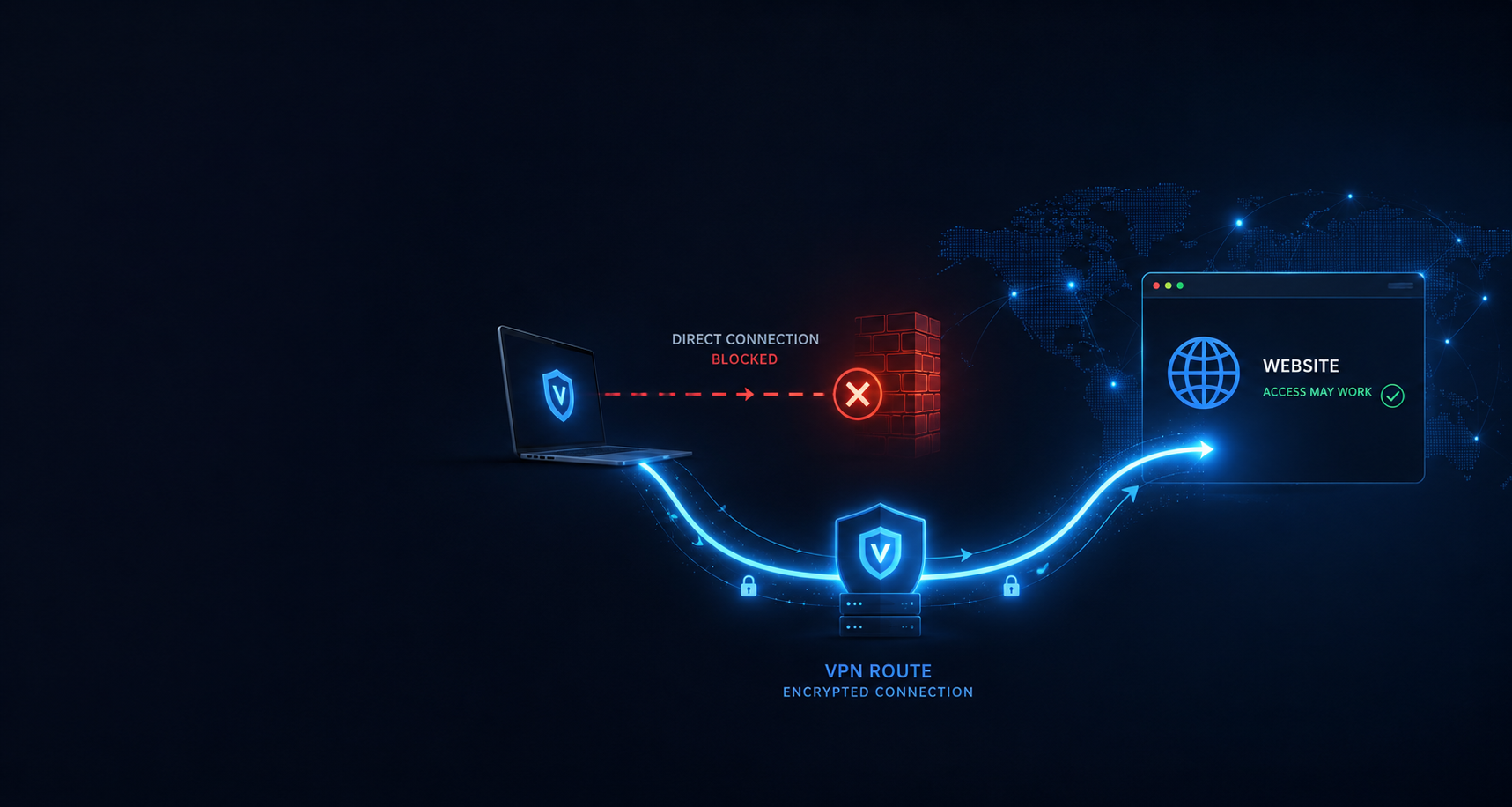
A VPN can help access many blocked websites, apps, VoIP services, streaming platforms, news sites, social networks, and online services by encrypting your connection and routing it through a VPN server. This guide explains how website blocks work, how a VPN helps, what limits still apply, and how to use a VPN responsibly.
Quick Answer
A VPN can help access blocked websites by hiding your normal IP address, encrypting traffic between your device and the VPN server, and routing your connection through another location. This can help when a website is blocked by a local network, hotel, school, workplace, ISP, public Wi-Fi provider, or country-level filter.
Access is not guaranteed. Websites, apps, streaming services, networks, and countries can block known VPN servers or change restrictions over time. A VPN improves privacy, but it does not make you invisible online.
Why Websites Get Blocked
Websites can be blocked for many different reasons. Sometimes the block comes from a local Wi-Fi network. Sometimes it comes from a school, office, hotel, airport, internet provider, app platform, streaming service, or country-level internet filter.
Network rules
Schools, workplaces, hotels, airports, cafés, and public Wi-Fi networks may block websites for bandwidth, safety, productivity, or policy reasons.
Country restrictions
Some countries restrict access to news sites, social media, VoIP apps, adult content, gambling sites, crypto platforms, streaming services, or political content.
Licensing and location rules
Streaming services, sports platforms, apps, and online platforms may limit content based on your visible country, account region, payment region, or licensing agreements.
Security filters
Some networks block websites that are considered suspicious, high-risk, adult, gambling-related, bandwidth-heavy, or unrelated to the network’s purpose.
How a VPN Helps Access Blocked Websites
A VPN creates an encrypted tunnel between your device and a VPN server. After you connect, websites and apps usually see the VPN server’s IP address instead of the IP address from your normal internet connection.
This can help when the block is based on your local network, internet provider, country, or visible IP location. For example, if a website is blocked on hotel Wi-Fi or by an ISP filter, connecting to a VPN server may route your traffic around that block.
Blocked AI Tools and VPN Access
AI tools are now one of the most common types of websites and apps people find blocked while traveling, working remotely, studying, or using public Wi-Fi. ChatGPT, Claude, Gemini, Google AI Studio, Perplexity, Grok, Suno, DeepSeek, Midjourney-style tools, AI video tools, and AI coding tools may behave differently depending on the network, country, account, app, or provider rules.
A VPN may help when the AI tool is blocked by a local network, public Wi-Fi provider, school, workplace, hotel, airport, mobile carrier, ISP filter, or visible IP location. For example, if an AI website works on mobile data but fails on hotel Wi-Fi, a VPN may help test whether the block is network-based.
A VPN will not always fix AI access problems. AI providers may still check account country, billing country, phone verification, app store country, workspace rules, subscription level, invite status, cookies, device signals, VPN IP reputation, or official supported-country rules.
When a VPN may help
- AI tools blocked on hotel, airport, school, office, or café Wi-Fi.
- AI websites blocked by an ISP, public network, or local filter.
- Travel-related access errors caused by visible IP location.
- Testing whether an AI feature changes by VPN server location.
- Protecting your connection while using AI tools on public Wi-Fi.
When a VPN may not help
- The AI provider does not officially support your country or account type.
- Access depends on billing country, phone verification, or app store country.
- The feature is invite-only, waitlisted, or tied to a subscription plan.
- The AI provider blocks known VPN IP addresses.
- The product or feature has been discontinued by the provider.
How to Access a Blocked Website with a VPN
Use these steps when a website, app, or online service is blocked on your current connection.
Get a VPN account
Choose a VPN provider with server locations that match your access needs. VPN-Accounts.com offers VPN access and setup support for users who need help connecting across devices and countries.
Install or configure the VPN
Use the VPN app or follow the manual setup guide for your device. VPNs can be used on Windows, Mac, iOS, Android, Linux, routers, and other supported devices.
Choose a VPN server location
Select a server in a location where the website or app is normally available. A nearby server may be faster, while a server in a specific country may be needed for location-based access.
Connect and test the website
After connecting, open the blocked website again. If it still does not work, clear the browser cache, try private browsing, switch VPN servers, or test a different VPN protocol.
Ask support if access still fails
Send support your device, country, VPN server, error message, and the website or app you are trying to access. Clear details help troubleshoot the issue faster.
Common Types of Blocked Websites and Apps
Different blocks need different troubleshooting steps. Some are caused by local Wi-Fi filters, some by country-level restrictions, some by app rules, and some by account, billing, or identity checks. Use the guide below that best matches your problem.
AI tools and chatbots
AI tools such as ChatGPT, Claude, Gemini, Perplexity, Grok, AI Studio, Suno, DeepSeek and Midjourney-style tools may be affected by country support, workplace filters, public Wi-Fi blocks, account country, phone verification, billing region or provider rules.
Adult websites
Adult websites may be blocked by countries, hotels, public Wi-Fi, schools, workplaces, app platforms, family-safe DNS filters or age-verification rules. Adults should understand local laws, age rules and privacy limits before trying to access restricted adult content.
Online gambling, poker and sportsbooks
Gambling sites can be blocked by local networks, countries, payment systems or gambling operators. A VPN may help with privacy on public Wi-Fi, but it does not replace gambling laws, KYC checks, account rules or platform terms.
Crypto and financial platforms
Crypto exchanges, trading platforms, wallets and financial websites may restrict access based on country, compliance rules, risk controls, account history or security checks. A VPN may help with privacy on public Wi-Fi, but it does not change financial compliance rules.
Gulf and Middle East blocks
UAE, Qatar, Kuwait, Saudi Arabia, Oman and nearby countries can involve blocked websites, VoIP restrictions, public Wi-Fi filters, adult-site blocks, gambling blocks, app access problems and local legal limits.
WhatsApp calls and VoIP apps
WhatsApp calls, FaceTime, Skype, Telegram calls and other VoIP services may be restricted on certain country networks, hotel Wi-Fi, school networks, workplace connections or public hotspots. A VPN may help with network-level VoIP blocks, but calling access is not guaranteed.
Streaming while abroad
Streaming platforms may apply country licensing, account-region rules, payment-region rules, app-region checks and VPN detection. A VPN may help while travelling, but streaming access is never guaranteed.
Hotel Wi-Fi and public Wi-Fi
Hotels, airports, cafés, malls, schools, libraries, offices and public hotspots can add their own filtering on top of country or ISP blocks. A website may work on mobile data but fail on Wi-Fi.
VPN connected but still blocked?
If the VPN is on but a website, app, streaming service or AI tool still fails, the issue may be DNS leaks, cookies, app location signals, blocked VPN IPs, account country or platform rules.
What a VPN Can and Cannot Do
A VPN is useful, but it is not magic. It can improve privacy and help with many blocked websites, but it cannot remove every restriction or erase every way a website can identify you.
A VPN can help with:
- Masking your normal IP address from websites and apps.
- Encrypting traffic between your device and the VPN server.
- Reducing monitoring from local networks, public Wi-Fi, hotels, schools, workplaces, or ISPs.
- Changing your visible IP location to another VPN server location.
- Accessing many websites or apps blocked by local or regional filters.
A VPN cannot guarantee:
- Access to every blocked website, app, AI tool, or streaming service.
- Complete anonymity online.
- Protection from malware, phishing, bad downloads, or unsafe websites.
- Protection from account-based tracking, cookies, browser fingerprinting, or GPS/app location permissions.
- Changing account country, billing country, age eligibility, gambling rules, financial compliance rules, or provider terms.
- Legal protection if you use a VPN for prohibited or unlawful activity.
VPN vs Proxy vs Tor vs Smart DNS
There are several ways people try to access blocked websites. A VPN is usually the best balance of privacy, encryption, usability, and device-wide protection.
| Tool | How it helps | Main limitation |
|---|---|---|
| VPN | Encrypts traffic between your device and the VPN server, masks your IP address, and can work across apps and browsers. | Some websites, apps, or streaming services may block known VPN servers. |
| Proxy | Can route browser or app traffic through another server to change the visible IP address. | Often lacks full-device encryption and may only work for one app or browser. |
| Tor | Routes traffic through a volunteer network and can improve anonymity for certain browsing use cases. | Can be slow, blocked by some websites, and is not ideal for streaming or everyday app access. |
| Smart DNS | May help with some location-based streaming or DNS-level blocks. | Usually does not encrypt traffic like a VPN. |
| Mobile data | Can bypass local Wi-Fi restrictions by using your cellular carrier instead of the restricted network. | Does not hide your IP address from websites in the same way a VPN does and may be expensive while roaming. |
Blocked Websites While Traveling
Travelers often discover that websites, apps, calls, streaming services, banking pages, gambling accounts, crypto platforms, AI tools, or work tools behave differently in another country. Some access problems are caused by local networks, while others are caused by country-level rules, platform policies, licensing, fraud prevention, account region, billing region, or account security systems.
It is usually easier to set up a VPN before traveling. In some places, VPN websites, app stores, payment pages, or setup guides may be harder to access after arrival.
School, Work, Hotel, and Public Wi-Fi Blocks
Schools, workplaces, hotels, airports, libraries, cafés, and public Wi-Fi networks often block websites for security, bandwidth, productivity, or policy reasons. A VPN may help on some restricted networks, especially when a block is based on local filtering.
However, users should follow school, workplace, hotel, and local network rules. Using a VPN on a network that prohibits VPN access may violate that network’s policy, even if the VPN itself is legal.
Restricted-Access Topics Need Extra Caution
Some blocked-access topics need more caution than normal website troubleshooting. Adult websites, gambling, crypto platforms, AI tools, VoIP apps, streaming services and country-specific restrictions can involve legal rules, account checks, billing regions, provider terms, age limits, app store regions, payment rules or local network policies.
| Topic | Why access may still fail | Important limit |
|---|---|---|
| AI tools | Account country, billing country, phone verification, workspace settings, provider rules or official country support. | A VPN cannot guarantee access to unsupported AI tools or features. |
| Adult websites | Country blocks, age-verification rules, DNS filters, hotel Wi-Fi filters or local law. | A VPN does not remove age rules or make restricted content legal. |
| Online gambling | Country gambling laws, operator terms, KYC, payment restrictions or account security checks. | A VPN does not override gambling rules, self-exclusion, KYC or platform terms. |
| Crypto and finance | Compliance rules, country restrictions, login risk checks, sanctions, KYC or account security systems. | A VPN does not change financial compliance or identity checks. |
| WhatsApp and VoIP | Country-level VoIP filtering, hotel Wi-Fi blocks, public hotspot restrictions, latency or app behavior. | A VPN may help with network-level blocks, but it cannot guarantee calling access. |
| Streaming | Licensing rules, account country, payment region, app region or VPN detection. | A VPN cannot guarantee access to a specific streaming library, show or sports event. |
Why Use VPN-Accounts.com for Blocked Websites?
VPN-Accounts.com has provided VPN access since 2007, after starting with proxy-based privacy tools around 2005. We are not only a VPN content site. We sell and support VPN accounts directly, so our guidance is shaped by real customer setup questions, travel access problems, device troubleshooting, server selection, and blocked website issues.
VPN access since 2007
Long-running VPN service experience with users who need privacy, travel access, public Wi-Fi protection, and blocked website support.
Direct setup support
Support for users who need help with devices, VPN protocols, server choice, connection errors, and blocked apps or websites.
Multiple VPN protocols
Support for common VPN setups such as WireGuard, OpenVPN, IKEv2, L2TP/IPsec, and legacy PPTP where compatibility is needed.
Practical privacy guidance
Clear explanations of what a VPN can protect, what it cannot protect, and how users can stay safer online.
Helpful Next Steps
Use these only if they match the problem you are troubleshooting.
Blocked Websites VPN FAQ
Can a VPN access blocked websites?
A VPN can often help access websites blocked by a local network, ISP, workplace, school, hotel, public Wi-Fi provider, or country-level filter. Access is not guaranteed because websites, apps, and networks may block known VPN servers or change restrictions over time.
How does a VPN unblock websites?
A VPN routes your traffic through an encrypted tunnel to a VPN server. Websites usually see the VPN server’s IP address instead of your normal IP address, which can help bypass blocks based on local network rules, ISP filtering, or visible location.
Is it legal to use a VPN for blocked websites?
VPN use is legal in many countries, but laws vary. A VPN should not be used for illegal activity, fraud, hacking, harassment, copyright abuse, or accessing content prohibited where you are located. This page is informational and is not legal advice.
Can I use a VPN at school or work?
A VPN may work on some school or workplace networks, but users should follow the rules of the network they are using. Some schools, employers, hotels, and public Wi-Fi networks prohibit VPN use in their policies.
Can a VPN access streaming websites?
A VPN may help with streaming access while traveling, but streaming services may enforce account-region rules, licensing rules, app-region rules, payment-region rules, or VPN detection systems. A VPN cannot guarantee access to every streaming service or content library.
Can a free VPN unblock websites?
Some free VPNs may access certain blocked websites, but free VPNs often have limits such as slower speeds, fewer locations, ads, data caps, weaker support, or unclear privacy practices. A paid VPN is usually better for reliability, privacy, and support.
Why is a website still blocked when my VPN is on?
The website may block known VPN IP addresses, rely on cookies or account location, use browser fingerprinting, require a different server country, or detect DNS or app-location settings. Try another VPN server, clear cache, use private browsing, switch protocol, or contact support.
Does a VPN make blocked website access anonymous?
No. A VPN can mask your normal IP address and encrypt traffic between your device and the VPN server, but it does not make you invisible. Websites can still identify users through accounts, cookies, browser fingerprinting, payment records, malware, GPS permissions, or information the user provides.
Should I set up a VPN before traveling?
Yes. It is usually easier to install the VPN app, save setup instructions, and test your login before traveling. In some places, VPN websites, app stores, payment pages, or setup guides may be harder to access after arrival.
What should I send support if a blocked website does not work?
Send your device type, operating system, country, VPN server location, VPN protocol, error message, and the website or app you are trying to access. Screenshots and exact error text can help support troubleshoot faster.
What types of blocked websites can a VPN help with?
A VPN may help with websites or apps blocked by local Wi-Fi, hotels, schools, workplaces, ISPs, public networks, or visible IP location. Common examples include AI tools, messaging apps, adult websites, gambling sites, streaming services, news sites, VoIP apps, social media, and crypto platforms. Access is not guaranteed because websites and networks can block VPN traffic.
Can a VPN help with AI tools that are blocked or unavailable?
A VPN may help if an AI tool is blocked by a local network, public Wi-Fi provider, workplace filter, or visible IP location. It cannot guarantee access if the AI provider checks account country, billing country, phone verification, app store region, subscription level, invite status, or official supported-country rules.
Can a VPN help with WhatsApp calls, FaceTime, Skype, or other VoIP apps?
A VPN may help when VoIP calling features are blocked or unreliable on a country network, hotel Wi-Fi, office network, or public hotspot. Call quality depends on latency, server distance, VPN protocol, app behavior, and the network you are using.
Can a VPN help with adult, gambling, or crypto websites?
A VPN may help with privacy or local network blocks, but users are responsible for following local laws, age restrictions, gambling rules, financial compliance rules, account terms, and platform policies. A VPN does not make prohibited content, gambling activity, or financial activity legal.
Why are websites blocked on hotel Wi-Fi or public Wi-Fi?
Hotels, airports, cafés, schools, libraries, workplaces, and public hotspots may block websites for security, bandwidth, productivity, legal, or policy reasons. A VPN may help on some restricted networks, but users should follow the rules of the network they are using.
What VPN server location should I choose for blocked websites?
Choose a VPN server in a country where the website or app is normally available. For privacy and speed, a nearby server may work best. For country-specific access testing, choose a server in the relevant country and then test the website in a fresh browser session.
Need a VPN for blocked websites?
Get a VPN account or contact support with your device, country, and the website or app you are trying to access. We can help point you toward the right setup.