
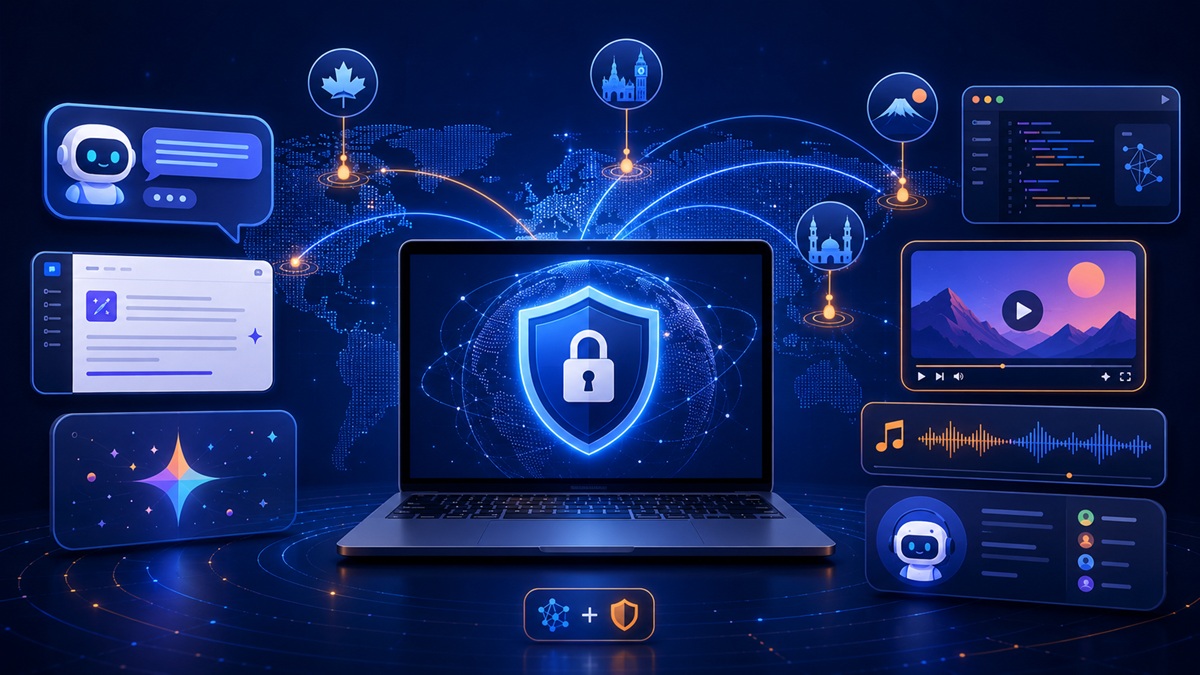
AI Tools + VPN Access
Last updated: August 2026
Best VPN for AI Tools
This is the main VPN-Accounts.com guide for comparing VPN use across ChatGPT, Claude, Gemini and other AI tools. It covers privacy, travel, restrictive-network troubleshooting and provider-specific limits; use the linked specialist guides for country errors, ChatGPT travel and server-location selection.
A VPN is not a guaranteed unlock button. It can change your visible IP location and encrypt your connection, but AI providers may still check account country, billing country, phone verification, app store country, cookies, device signals, subscription status, invite status, and their own usage policies.
Quick reality check
- Helps with visible IP location
- Helps on public Wi-Fi
- May help with network blocks
- Does not guarantee AI access
- Cannot change billing or account country
Can a VPN Help With AI Tools?
Yes, a VPN can help with AI tools when the problem is related to your visible IP location, public Wi-Fi, school or workplace network filtering, DNS blocking, travel routing, or basic privacy on shared networks.
No, a VPN will not always fix AI access problems. It usually cannot change your AI account country, payment country, phone verification country, app store country, subscription tier, invite status, workspace policy, or the provider’s official supported-country rules.
Travelers, expats, remote workers, students, developers, and AI users who want privacy on public Wi-Fi or need to test whether an AI feature is hidden because of visible location.
A USA VPN server is often a good first test for US-first AI rollouts, but the safest option is usually a server in a country where the AI provider officially supports the tool.
If access is tied to account eligibility, billing region, phone verification, app store country, invite status, or provider policy, changing IP location may not be enough.
Why AI Users Are Looking for VPNs
AI tools are no longer just simple websites. Many now include web apps, mobile apps, APIs, developer consoles, Discord-based tools, browser extensions, voice features, image tools, video tools, coding agents, and workplace integrations. Access can depend on more than one signal.
A VPN account can be useful when you use AI tools while traveling, working from cafés, using hotel Wi-Fi, connecting from a university network, accessing developer tools abroad, or testing whether an AI feature is affected by visible location.
Travel and expat access
If an AI tool works at home but behaves differently abroad, a VPN may help you test whether the issue is related to your visible location or the network you are using.
Public Wi-Fi privacy
When you use ChatGPT, Claude, Gemini, Google AI Studio, Perplexity, Suno, Grok, DeepSeek, or other AI tools from hotels, airports, cafés, schools, or coworking spaces, a VPN helps encrypt your connection between your device and the VPN server.
Blocked networks
Some schools, workplaces, public Wi-Fi networks, hotels, or countries may block AI sites, Discord, developer tools, X/Grok, music tools, image generators, or related domains. A VPN may help when the block is network-based.
AI feature testing
Some AI features launch by country, language, account type, app platform, or subscription tier. A VPN can help test whether the missing feature is related to visible IP location.
VPN Helps With This, But Not That
This is the most important part of choosing a VPN for AI tools: know what a VPN can realistically fix before you buy.
| Issue | Can a VPN help? | What to know |
|---|---|---|
| Visible IP location | Yes, often | A VPN changes the public IP address and location signal that websites see. |
| Public Wi-Fi privacy | Yes | A VPN encrypts your connection between your device and the VPN server, which helps on shared networks. |
| Hotel, airport, school, or workplace blocks | Sometimes | A VPN may help if the AI website, Discord, X/Grok, or developer tool is blocked by the local network. |
| DNS-based blocking | Sometimes | VPN DNS handling may help with some DNS filtering, but not every block is DNS-based. |
| Account country | No, not by itself | If the AI provider checks the country tied to your account, changing IP location may not be enough. |
| Billing country | No | A VPN does not change your card country, billing address, payment method, or subscription eligibility. |
| Phone verification | No | A VPN does not replace a required phone number, SMS verification, or account recovery check. |
| App store country | No, usually not | Mobile AI apps may depend on your Apple App Store or Google Play country, not only your IP address. |
| Invite-only or waitlist features | No | If access requires an invite, waitlist approval, or specific subscription tier, a VPN will not create access. |
| Discontinued AI products | No | A VPN cannot bring back an AI product, web app, mobile app, API, or feature that the provider has discontinued. |
| VPN IP reputation | Sometimes a problem | Some AI platforms may challenge, rate-limit, or block known VPN IP ranges. Trying another server may help. |
Best VPN Location by AI Tool or Use Case
The best VPN location depends on the AI provider, official availability, your account, your subscription, and whether you care more about speed or region testing. A USA server is often a good first test for US-first features, but it is not always the correct answer.
ChatGPT
Try first: USA, Canada, UK, or another officially supported country.
OpenAI may still enforce supported-country, billing, payment, and account rules.
Claude AI
Try first: USA, UK, Canada, Europe, or another Anthropic-supported country.
Claude access may still depend on official country support, account eligibility, API access, and billing.
Google Gemini and Google AI Studio
Try first: A country where Google AI Studio and the Gemini API are officially available.
Google may also check age, account verification, billing, project setup, and cloud region.
Sora and AI video tools
Try first: An officially supported country for the current AI video tool you are using.
OpenAI discontinued the Sora web and app experiences on April 26, 2026, and says the Sora API will be discontinued on September 24, 2026. A VPN cannot restore a discontinued service. For other AI video tools, check current provider availability first.
Perplexity AI
Try first: USA or a nearby fast server.
A VPN can help with public Wi-Fi privacy and regional research testing, but Perplexity may also show Cloudflare checks when VPNs are used.
Grok and X AI
Try first: USA or another supported X/Grok region.
X account region, app store region, subscription status, rollout rules, and local restrictions may still matter.
Suno and AI music tools
Try first: USA, Canada, UK, Europe, or a nearby stable server.
Payment country, account status, content rules, rights rules, and provider policies are not changed by a VPN.
Midjourney, Discord, and AI image tools
Try first: USA or a fast nearby server.
If Discord is blocked on the network, a VPN may help. If the platform requires account verification or has subscription/payment issues, a VPN may not solve it.
DeepSeek and workplace-blocked AI tools
Try first: Fast nearby server or USA server.
Do not use a VPN to break workplace, school, government-device, provider, or local legal rules.
What to Look for in a VPN for AI Tools
Prioritize practical, verifiable capabilities: stable server choice, supported protocols such as WireGuard, OpenVPN and IKEv2, stealth mode for restrictive networks, support for up to 5 devices, desktop and mobile configuration where supported, setup help, transparent pricing and an established service history.
Stable server choice
Use one appropriate supported-region server and avoid rapid switching during an account session.
Stealth mode
Useful when a hotel, school, office or other restrictive network interferes with normal VPN traffic.
Support that helps
VPN-Accounts.com provides setup and troubleshooting support and allows up to 5 simultaneous supported devices.
If your VPN software or configuration provides leak-protection or disconnect-protection controls, configure them appropriately; these are not advertised here as included VPN-Accounts.com features.
How to Test an AI Tool With a VPN
- Check official availability first. Look at the AI provider’s supported-country, app, API, or help page before assuming a VPN will help.
- Connect to the VPN before opening the AI tool. Do not load the AI website first and then switch locations.
- Use a private browser window or clean profile. Cookies and old sessions may keep showing the previous country or login state.
- Choose the right server. Try a USA server for US-first features, or choose a server in an officially supported country.
- Check DNS leaks. Mixed DNS or browser location signals can cause region errors even when the VPN is connected.
- Try another server if needed. One VPN IP may be blocked, crowded, or rate-limited while another works better.
- Check account and billing signals. If the error remains, the issue may be tied to account country, billing, phone verification, app store region, or subscription level.
- Respect school, workplace, and provider rules. A VPN should not be used to bypass rules you are required to follow.
AI Tool Still Not Working With a VPN? Check These First
1. Cookies and browser history
Use a private window, clear cookies for the AI website, or test from a clean browser profile.
2. Account country
If the provider checks the country tied to your account, changing IP location may not be enough.
3. Billing or subscription region
Paid AI plans, API access, and premium features may depend on your card country, billing address, or workspace setup.
4. App store country
Mobile AI apps may depend on Apple App Store or Google Play region, not only your VPN location.
5. Phone verification
A VPN cannot replace a required phone number, SMS check, or account recovery method.
6. API or cloud region
Developer tools may check where the API request, server, cloud function, cloud project, Colab instance, or backend is running.
7. VPN IP reputation
Some AI platforms may challenge or rate-limit known VPN IP ranges. Try another server in the same country.
8. Provider rules
If the AI provider does not officially support your country, account type, plan, or device, a VPN may not be enough.
VPN Guides for Specific AI Tools
ChatGPT Country and Access Troubleshooting
Distinguish a local network problem from OpenAI country, account, billing and verification requirements.
Use these guides to troubleshoot specific AI access, privacy, travel, and region issues. Each guide explains when a VPN may help and when provider rules still apply.
USA VPN for AI Tools
Useful for US-first AI rollouts, travel access, and region testing.
VPN for ChatGPT While Traveling
Use ChatGPT more safely on hotel, airport, café, and foreign networks.
VPN for Claude AI
Claude access, supported countries, travel, privacy, and Anthropic account rules.
Google AI Studio Region Error
Gemini API, AI Studio, browser location, billing, account, and cloud-region issues.
VPN for Perplexity AI
AI search privacy, Cloudflare/VPN checks, public Wi-Fi, travel, and regional research testing.
VPN for DeepSeek AI
Workplace blocks, school filtering, public Wi-Fi privacy, provider privacy limits, and network troubleshooting.
VPN for Suno AI Music
AI music access, public Wi-Fi privacy, payment-region limits, rights rules, and network blocks.
VPN for Midjourney and Discord AI Tools
Creative AI workflows, Discord access, image uploads, public Wi-Fi, and network blocks.
VPN for Grok and X AI
Grok.com, X access, app-region issues, travel access, public Wi-Fi privacy, and network blocks.
VPN for Sora and AI Video Tools
Updated guide for Sora discontinuation, AI video access, supported countries, travel, and VPN limits.
AI Tool Not Available in Your Country
What to check when an AI app, model, website, API, or feature is blocked by region.
VPN for AI Privacy
Protect your connection while using AI tools on public Wi-Fi or shared networks.
Best VPN Location for AI Tools
USA, UK, Canada, Europe, Japan, nearby servers, and supported-country testing.
Responsible VPN Use With AI Tools
A VPN is a privacy and connectivity tool. It can help protect your connection, reduce exposure on shared networks, and test whether an AI access problem is related to visible IP location or local network filtering.
It should not be treated as a guaranteed way to bypass unsupported-country rules, payment rules, identity checks, age checks, workplace restrictions, school policies, app-store restrictions, provider terms, discontinued products, or local laws. AI providers can set their own availability rules, and those rules may change.
For country-specific caution, read Are VPNs Legal?. This page is general information only and is not legal advice.
Official Sources Checked
Because AI access rules change often, check the provider’s official pages before relying on any VPN setup for work, travel, development, or paid AI access.
- OpenAI supported countries and territories
- OpenAI unsupported countries and territories policy
- OpenAI: What to know about the Sora discontinuation
- OpenAI API deprecations: Sora 2 video generation models and Videos API
- Google AI Studio and Gemini API available regions
- Anthropic supported countries and regions
- Perplexity Help: Cloudflare and VPNs
- DeepSeek Privacy Policy
- Suno Terms of Service
- Midjourney Docs: Web vs Discord
- X Help: About Grok
Best VPN for AI Tools FAQ
What is the best VPN for AI tools?
The best VPN for AI tools combines stable server choice, supported protocols, stealth mode where needed, desktop and mobile configuration, transparent pricing, and responsive setup support. VPN-Accounts.com has provided VPN access since 2007, supports up to 5 simultaneous devices, and offers plans from $7.
Can a VPN unlock AI tools that are not available in my country?
Sometimes a VPN may help if the AI tool is checking your visible IP location or if the block is caused by the network you are using. It will not always work because AI companies may also check account country, billing region, app store region, phone verification, subscription level, invite status, and provider rules.
Can I use a VPN for ChatGPT while traveling?
Yes, a VPN can help protect your connection while traveling and may make access more consistent on public Wi-Fi or foreign networks. It does not override OpenAI’s supported-country rules, billing requirements, payment rules, or account restrictions.
Is a USA VPN useful for AI tools?
A USA VPN is useful for testing US-first AI features, early rollouts, public Wi-Fi privacy, and travel-related access problems. It is not always the best server for speed or official eligibility, so you should also check whether the AI provider supports your account country and the country you connect through.
Does a VPN protect my AI prompts?
A VPN helps protect your internet connection and can hide your real IP address from websites, but it does not hide your prompts, uploads, files, or account activity from the AI provider you are using. You should still avoid entering sensitive information unless you trust the provider and your privacy settings.
What is the best VPN server location for AI tools?
For many AI users, the safest rule is to connect to a VPN server in a country where the AI provider officially supports the tool. A USA VPN server is often a good first test for US-first AI features, but the best location depends on the tool, your account, your subscription, your travel location, and whether speed or region testing matters more.
Why does an AI tool still show a region error when I use a VPN?
An AI tool may still show a region error because it can check more than your IP address. Account country, billing region, phone verification, app store country, cookies, DNS leaks, subscription level, invite status, cloud region, VPN IP reputation, and provider rules can all affect access.
Can a VPN bring back a discontinued AI tool?
No. A VPN can help with connection privacy, visible IP location, public Wi-Fi, and some network blocks, but it cannot bring back an AI product, app, API, model, or feature that the provider has discontinued.
Is using a VPN for AI tools legal?
VPNs are legal in many countries, but rules vary by location and by how the VPN is used. You should check local laws, workplace or school rules, and the AI provider’s terms before relying on a VPN for access. This is general information, not legal advice.
Get VPN Access for AI Tools
Use VPN access for public WiFi privacy, travel and legitimate network troubleshooting. VPN-Accounts.com has provided service since 2007, with stealth mode, setup support and up to 5 devices. Plans start at $7.