Skip to content
VPN-Accounts.com · Private VPN access since 2007

VPN accounts for privacy, travel, AI tools and blocked websites.

Get a VPN account for safer public Wi-Fi, private browsing, travel, AI tool access testing, and restricted networks. Use your account on phone, laptop, tablet or desktop with modern VPN protocols including WireGuard, OpenVPN and IKEv2.

30-day guarantee
For eligible VPN accounts under our terms.

5

Use on up to 5 devices
Connect your phone, laptop, tablet or desktop.

Stealth mode available
Useful on restrictive networks where normal VPN may struggle.

?

Setup support
Help with protocols, devices and server locations.

Quick answer: what is VPN-Accounts.com?

VPN-Accounts.com provides private VPN accounts for everyday security, travel, public Wi-Fi protection, AI tools, blocked websites and region testing. A VPN can encrypt your connection and change your visible IP location, but access to specific websites, apps, streaming services or AI features can still depend on provider rules.

2007
serving VPN users
5
devices at once
30
day guarantee

Choose your VPN use case.

Find the right VPN guide for your situation: AI tools, blocked websites, travel, public Wi-Fi, Gulf countries or VPN server locations.

AI

VPN for AI tools

Use a VPN account for ChatGPT, Claude, Gemini, Sora-style tools, AI privacy, public Wi-Fi and region testing.

Open AI VPN guide →

Access blocked websites

Learn how a VPN may help when websites, apps or services are filtered by a network, country, hotel, school or workplace.

View blocked-site guide →

VPN for travelling

Protect hotel Wi-Fi, airport Wi-Fi and travel browsing while keeping access more consistent across countries and networks.

Travel VPN guide →

VPN server locations

Browse VPN location options and choose a practical server for privacy, travel, streaming, apps, work or testing.

See locations →

Illustration of one VPN account protecting multiple devices including a laptop, smartphone, tablet and desktop computer

One VPN account for the devices you actually use.

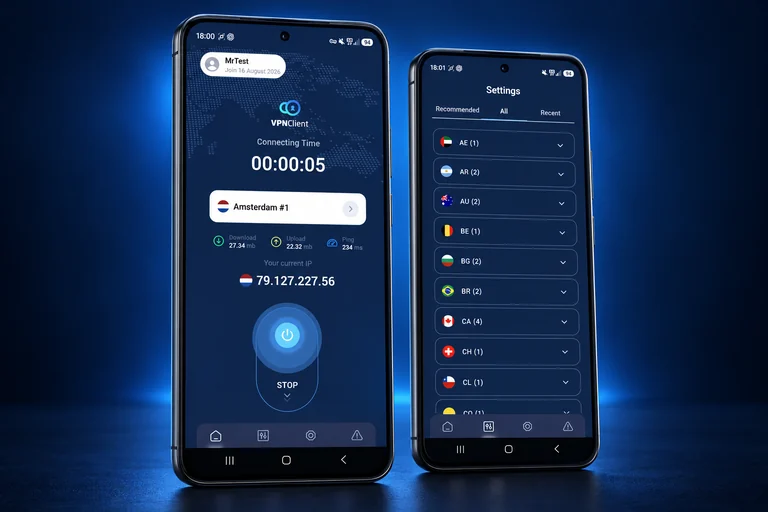
A VPN should be simple: buy your account, install the app or use manual setup, connect to a server, and browse with an encrypted connection. VPN-Accounts.com supports common VPN protocols so users can connect across different devices and network conditions.

Connect from up to 5 devices at the same time.
Use WireGuard, OpenVPN, IKEv2, L2TP/IPsec or PPTP depending on your setup.
Use stealth mode on restrictive networks where normal VPN connections may struggle.
Protect your connection on hotel Wi-Fi, airport Wi-Fi, cafés, schools and shared networks.

Middle East & Gulf VPN access

VPN help for the Gulf, expats and restricted networks.

Travelling, working abroad, using AI tools, connecting on hotel Wi-Fi, or trying to access blocked websites in the Gulf? Start with the country guide that matches your situation.

Travel Wi-Fi
AI tools
Blocked websites
VoIP & apps
Expats

VPN illustration for Gulf travellers, expats, public Wi-Fi and restricted networks

Gulf VPN access

UAE
Dubai / Abu Dhabi

UAE VPN

VPN guidance for Etisalat/e&, du, public Wi-Fi, travel and blocked websites.

Open UAE guide →

KSA
STC / Mobily / Zain

Saudi Arabia VPN

VPN setup for Saudi Arabia, travel networks, restricted apps and privacy.

Open Saudi guide →

QA
Doha / expats

Qatar VPN

Private VPN access for Qatar, hotel Wi-Fi, expats and blocked services.

Open Qatar guide →

KW
Travel / Wi-Fi

Kuwait VPN

Use a VPN in Kuwait for safer browsing, travel, public Wi-Fi and access testing.

Open Kuwait guide →

OM
Muscat / travel

Oman VPN

VPN help for Oman, browsing privacy, app access and travel connections.

Open Oman guide →

BH
Bahrain / expats

Bahrain VPN

VPN guidance for Bahrain, restricted networks, public Wi-Fi and security.

Open Bahrain guide →

Tip: Install and test your VPN before travelling, especially if VPN websites, app stores, VoIP apps or AI tools may be harder to access later.

Real-world VPN use cases

Built for the VPN problems people actually run into.

Most visitors do not come to a VPN site because they want a technical lecture. They come because something is blocked, unsafe, unavailable, restricted, or not working while travelling.

AI tool shows a region message
Test access through a different VPN location.
Hotel or airport Wi-Fi feels unsafe
Encrypt your connection before logging in.
Blocked websites or apps
Use a VPN server and check whether access improves.

Traveler using a VPN on a laptop and phone in an airport or hotel to access secure internet and global server locations

01
Choose location
02
Connect securely
03
Test access

Customer trust

VPN service used by travellers, expats and long-time customers.

From the UAE and Oman to frequent travel abroad, customers choose VPN-Accounts.com for private VPN access, setup help and reliable support.

Since 2007
private VPN access
5 devices
simultaneous connections
30 days
money-back guarantee

★★★★★

Best VPN in UAE

“I just wanted to thank you for the service you have been providing us over the past 7 years. I mainly use it on my iPad when travelling.”

MS
Mary Scott
★★★★★

Loving it in Oman

“As a long-term user based in the Middle East, I have always appreciated your ability to connect me to the rest of the world.”

AR
Anders Ruthstrom

Start in three steps

Buy your VPN account, set up your device, and connect securely.

VPN-Accounts.com makes it simple to get started on your phone, laptop, tablet or desktop with setup guides and support available when you need help.

01
🛒

Buy your VPN account

Choose your VPN account and complete checkout through the secure buy page.

Go to buy page →

03
🔒

Connect and test

Connect to a server, open your website or app, and switch location or protocol if needed.

See VPN locations →

Need help setting it up?
Support is available if you need help choosing a protocol, server location or device setup.

Contact Support

VPN account FAQ

Questions people ask before buying a VPN account.

Quick answers about VPN access, travel, blocked websites, AI tools, device setup and what a VPN can realistically help with.

What is the best reason to buy a VPN account?

The strongest reasons are safer browsing on public Wi-Fi, more private access, travel support, testing location-based issues, and accessing websites or apps that may be filtered by a network or country.

Can a VPN guarantee access to every website, streaming service or AI tool?

No. A VPN can change your visible IP location and encrypt your connection, but websites, apps, streaming platforms and AI tools may also check account country, payment region, device, cookies, app store region or their own access rules.

Should I install a VPN before travelling?

Yes. It is better to buy, install and test your VPN before travelling, especially before visiting countries or networks where VPN websites, app downloads, VoIP tools or common websites may be restricted.

How many devices can I use?

One VPN account can be used on up to 5 devices simultaneously, depending on your setup and account terms.

Can I use VPN-Accounts.com for AI tools?

A VPN can help with privacy, public Wi-Fi protection and location testing for AI tools. Access can still depend on the AI provider’s country rules, account settings, payment region and device signals.

Do I need help setting up the VPN?

Many users can connect with the app or setup guide. If you are travelling, using a restrictive network, or need a specific protocol, support can help you choose the best setup path.

Still not sure which setup you need?
Start with the buy page or contact support before travelling.

Get your VPN account and start with the right server location.

Use VPN-Accounts.com for privacy, travel, AI tools, blocked websites, public Wi-Fi and restricted networks. Create your account, set up your device, and contact support if you need help choosing the right server or protocol.

VPN customer support illustration with secure chat, shield protection and connected devices